KeyStone Template — a word search that finds your neighbourhood
Small detail from the KeyStone homepage I had way too much fun building.
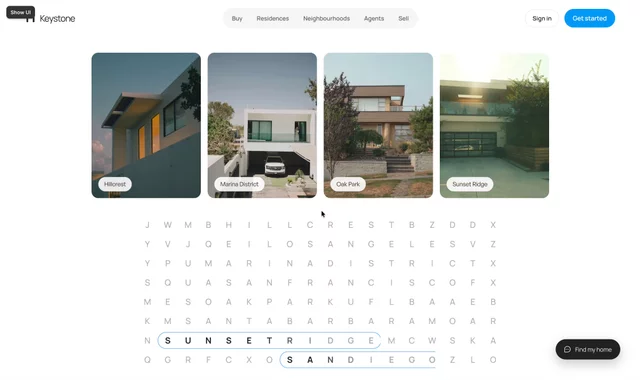
Below the neighbourhood cards sits a grid of letters — an actual word search. Hover a card and the grid solves itself: the neighbourhood's name gets circled, letter by letter, exactly like you'd ring an answer with a pen. Hillcrest, Marina District, Oak Park, Sunset Ridge — plus the cities hiding in the rows around them.
How it works under the hood:
- The grid is real text, not an image — every letter is a live layer, so it stays crisp at any size and picks up your typography
- Each card is linked to its word's position in the grid; hover triggers the circle to draw around the right letters while they snap to full contrast
- Words also cycle on their own when nothing's hovered, so the section never sits still
- Content stays editable — swap the neighbourhood names and the grid updates to match
The idea: browsing for a home is a search. So the section literally is one.