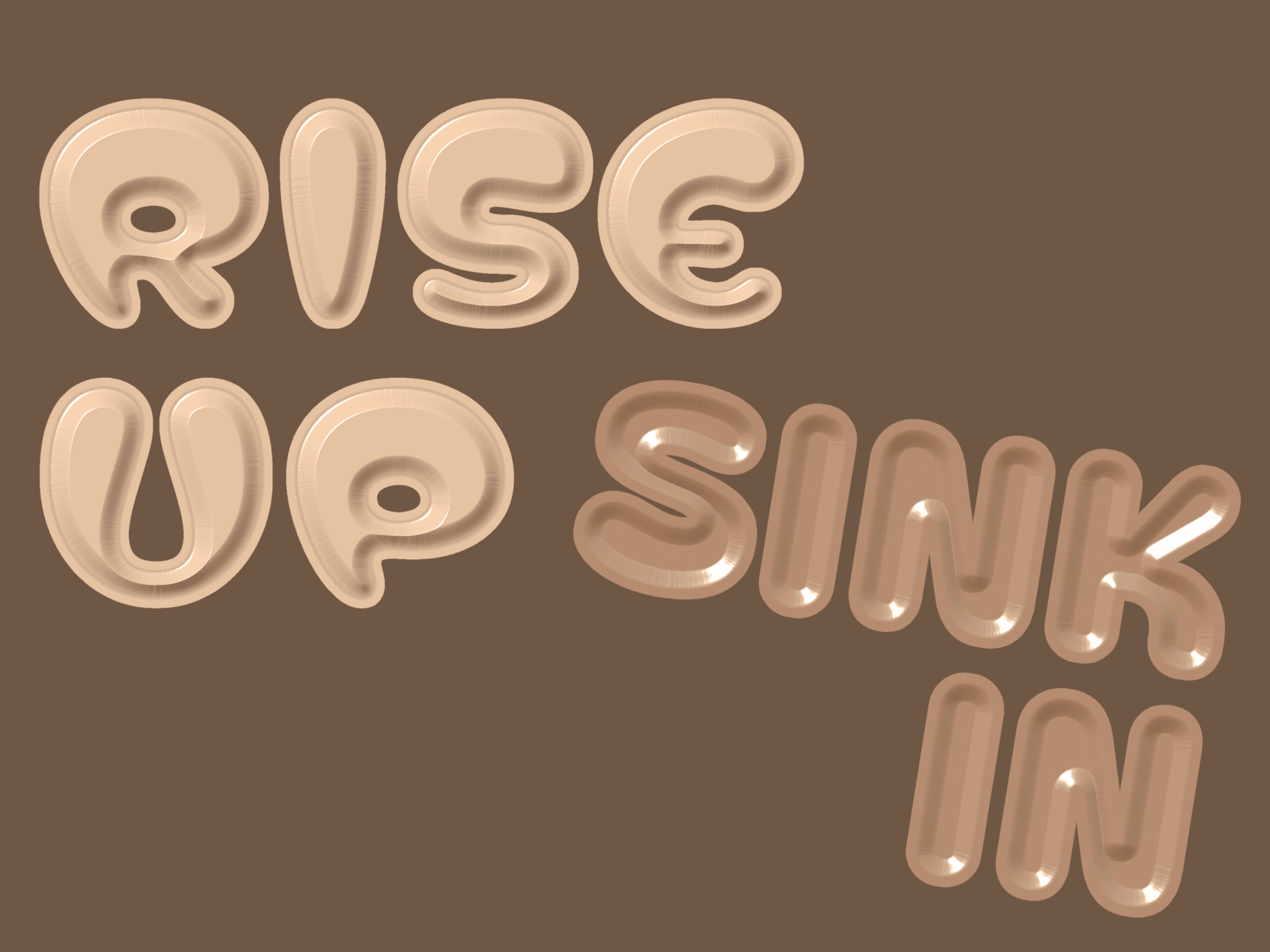
About 3D Material Text
Create embossed and debossed 3D text with metal, ceramic, paper, stone, rubber, and plaster materials.
Turn any typeface into dimensional material text. Raise it from the surface for an embossed look, press it inward for a debossed effect, or remove the background and use the material effect directly over your page.
⏹ ⏹ Great for ⏹ ⏹
Hero headlines and oversized display type
Logos, wordmarks, and expressive typography
Product launches, portfolios, and campaign pages
Embossed and debossed labels, badges, and graphic details
Material-inspired editorial layouts and art-directed sections
⏹ ⏹ Features ⏹ ⏹
8 material presets: Dry Plaster, Matte Paper, Rough Stone, Smooth Stone, Soft Rubber, Polished Plaster, Glazed Ceramic, and Metal.
Embossed or debossed: Use positive Depth for raised text or negative Depth for recessed text.
Background On / Off: Extend the material across the full component, or keep it just around the letters for a transparent cutout.
Adjustable material margin: Control how tightly the material island hugs the text when Background is Off.
Full typography control: Use Framer’s native font controls to customize typeface, weight, size, alignment, letter spacing, and line height.
Customize the look: Adjust Texture Color, Depth, edge softness, Light Angle, and Light Height.
Real-time material rendering: Lighting, depth, texture, and surface response update live as you design.
Made for real layouts: Text stays as live HTML while the material effect renders behind it, with support for webfonts, resizing, and multiple instances on the same page.
Made with ♡ by SOSOTAR. If you have any questions, email play@sosotar.com


