About Meridian Globe
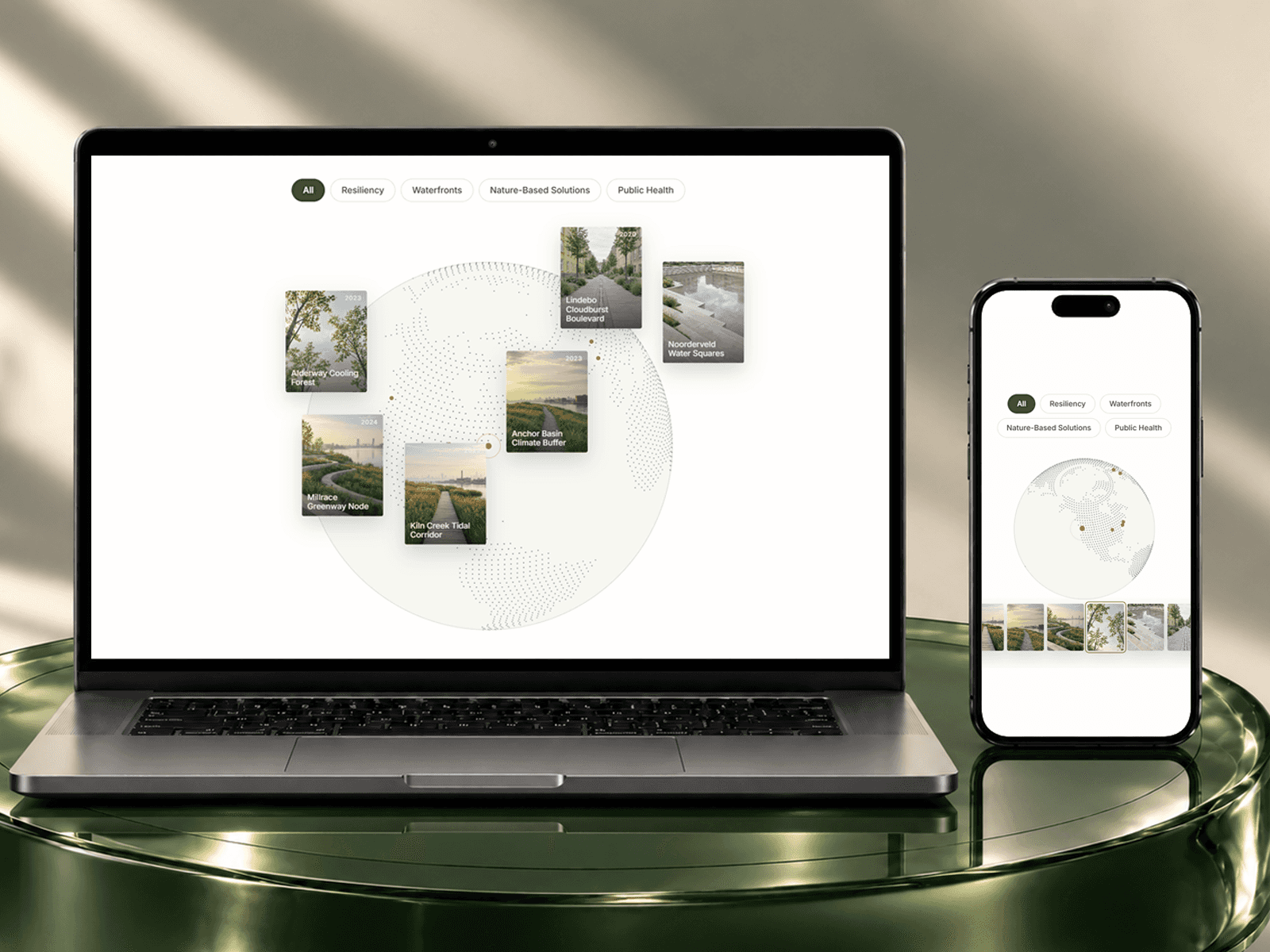
A globe drawn in dots, with continents from Natural Earth map data, your places marked, and arcs drawn between them. It turns slowly and can be dragged.
Add places with latitude and longitude (the first place is the hub for From First arcs). Face sets which longitude looks at the viewer first.
Controls
Places: Label, latitude and longitude per place.
A11y Label: Name read out by screen readers.
Arcs: No arcs, arcs from the first place, or a chain in order.
Continents: Dots only on land. Off fills the whole sphere.
Density: Dot density. More dots draw sharper coastlines.
Phone Density: Density on phones as a share of Density.
Dot Size: Dot size.
Dots: Dot colour. Colour tokens switch with dark mode.
Far Side: Opacity of dots on the far side.
Ocean: Faint dots over the sea.
Place Color: Marker colour.
Arc Color: Arc colour.
Arc Height: How high arcs rise.
Labels: Show place names.
Font: Label font.
Label Color: Label colour.
Glow: Soft halo colour around the globe.
Glow Size: Halo size. 0 is off.
Spin: Turn speed. 0 is off. Pauses off screen.
Face: Longitude facing the viewer at the start.
Tilt: Tilt toward the north.
Drag: Allow dragging.
Size: Globe size inside the component.
Intro: Dots and arcs draw in once when the globe first appears.
Phones, dark mode, Arabic
Fewer dots (Phone Density) and sideways drag only. With reduced motion it does not turn or draw in; it can still be dragged. Colour controls take your tokens, so dark mode follows the theme, and it works on Arabic right-to-left pages.
What you get
After checkout: the component link to paste onto your Framer canvas, plus an editable Framer project with a demo page.
All ten in one project for $49: Motion Kit
All sales are final, no refunds.