About CV Download Button
Download CV Pill – Sliding Hover Button with Real PDF Download
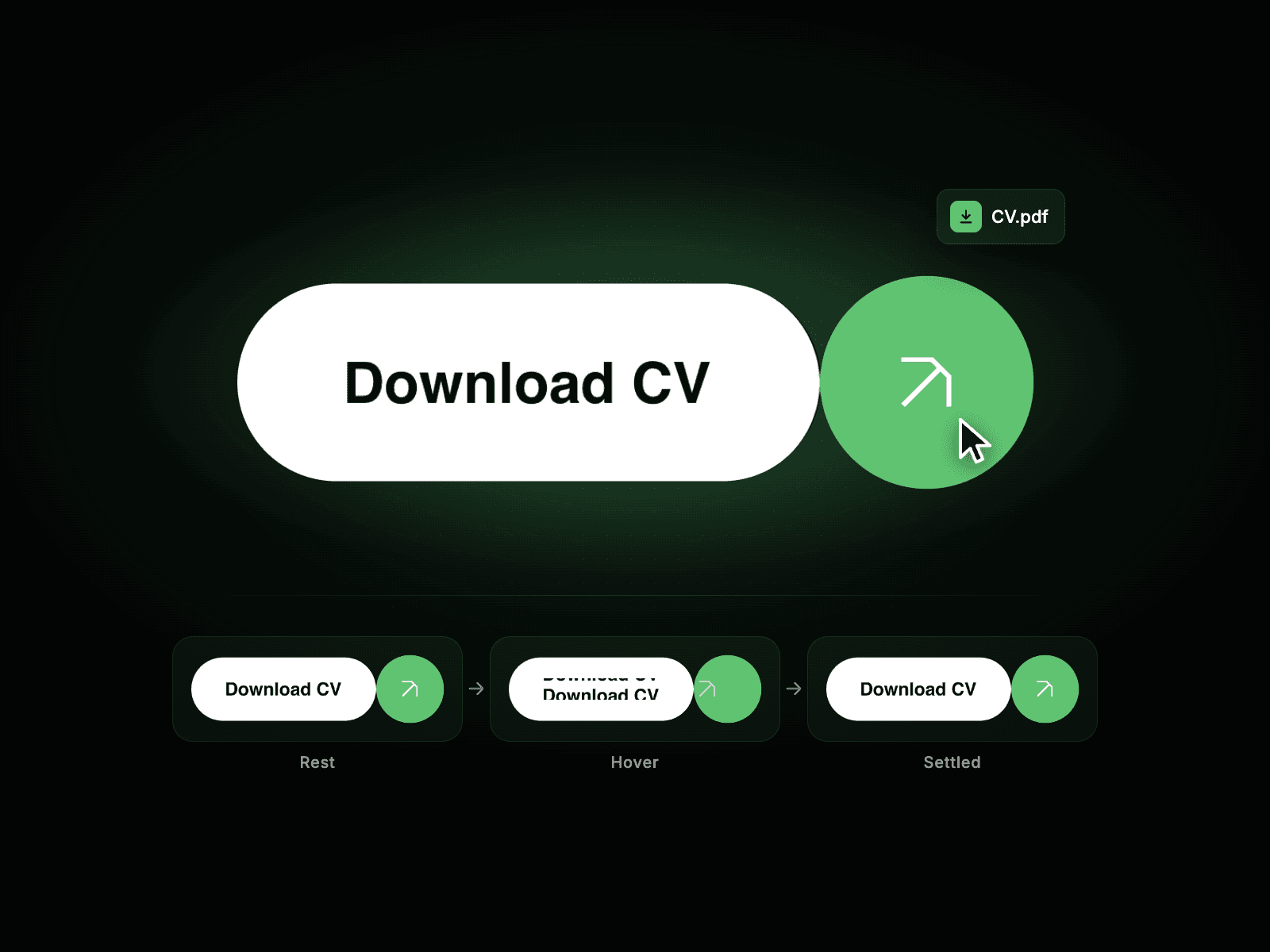
Download CV Pill is a pill-shaped button built for portfolios, resumes, and personal sites. On hover, the label slides up and is replaced by an identical copy from below, while the arrow badge slides out and a matching arrow slides in from the opposite side. On click, it triggers a genuine download of the PDF you assign, with no page reload and no new tab.
Sliding Label, Swapping Icon, Real Download
Label slides up and out on hover, replaced by an identical line from below.
Icon badge slides out one side while a duplicate slides in from the other.
Click downloads the actual PDF using the file name you set.
Five built-in icons, or upload your own custom SVG.
Smooth, synced timing between the text and icon swap.
Responsive pill that hugs its content and resizes cleanly.
Customize
Text – Edit the button label.
CV File & File Name – Upload the PDF and name the downloaded file.
Icon – Pick a built-in icon or upload a custom SVG.
Colors – Pill fill, label, badge background and icon color.
Font & Weight – Curated font families, Regular to Extrabold.
Padding, Gap, Radius – Fine-tune spacing and pill shape.
Hover Speed – Control how fast the swap animation plays.
How It Works On hover, the label animates up out of view as an identical label rises from below, and the icon badge mirrors this with a left/right slide. On click, the component fetches the assigned PDF and downloads it under your file name, falling back to opening the file directly if the browser blocks the fetch.