About Glyph Tiles
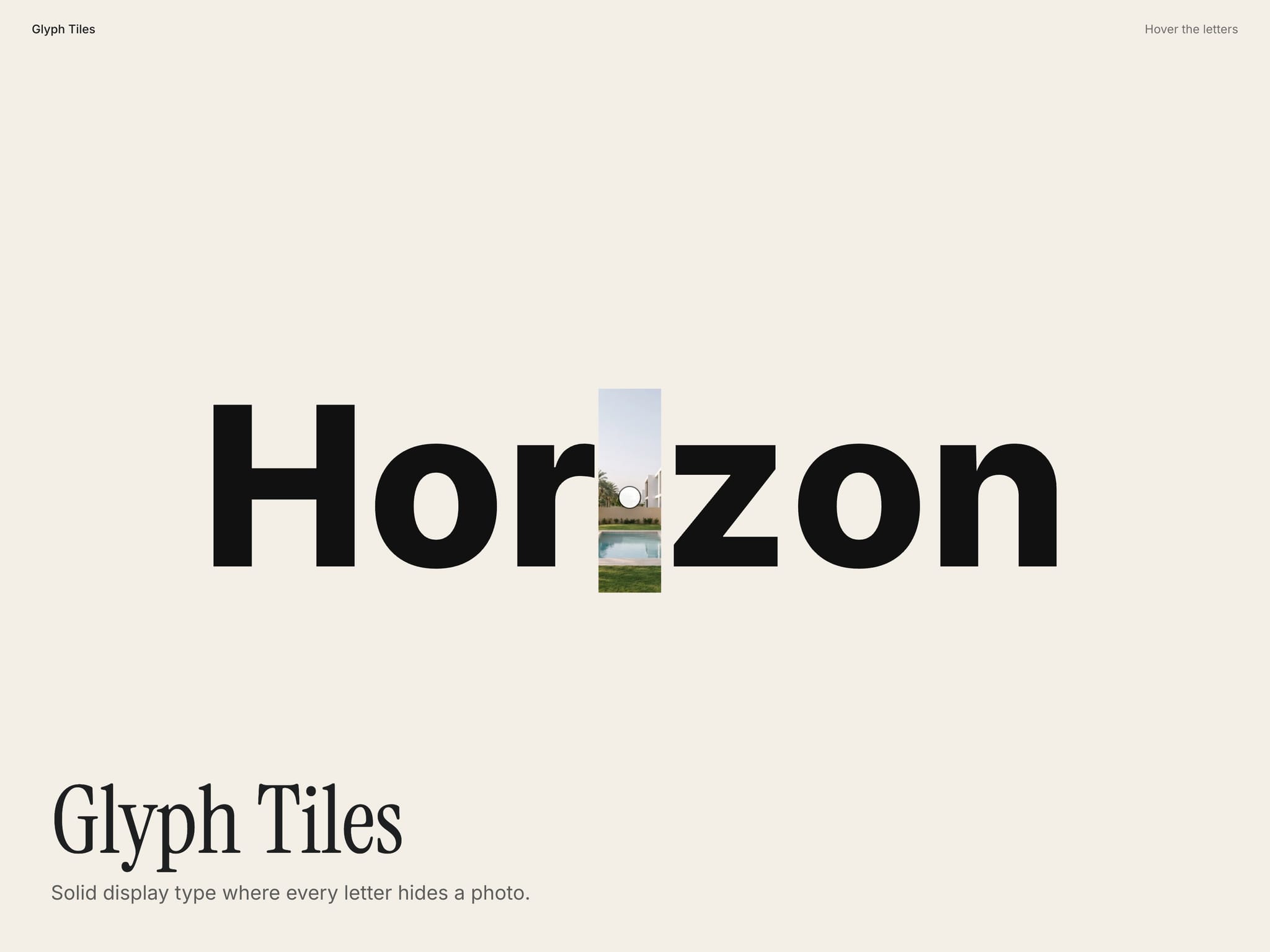
Big solid type where every letter hides a photo. Hover a letter and a photo wipes into its place, then fades back after a moment. Photo Fill instead cuts every letter out of a photo.
Use a heavy font and 4 to 10 photos with clear shapes. The photos load when the text comes into view.
Controls
Text: The word or words.
Tag: HTML tag.
Style: Photo Tile (photo replaces the letter on hover) or Photo Fill (letters cut out of photos).
Images: Photos, used in turn letter by letter.
Image Per: One photo per letter or per word.
Font: Font. Bold and black weights work best.
Color: Letter colour. Use a token so it follows dark mode.
Trail Color: Colour a letter passes through as its photo fades back.
Align: Start, centre or end.
Reveal: How the photo arrives: Wipe up, Fade or Grow.
Hold: How long the photo stays after the cursor moves on.
Duration: Length of the transition.
Tile Radius: Corner radius of the photo tile.
Tone: Tints the photos with the letter colour for a quieter look.
Shrink To Fit: Scales the type down when a word is wider than the space.
Phones, dark mode, Arabic
A tap shows a letter's photo. Shrink To Fit keeps long words on screen. With reduced motion photos appear and disappear without the wipe. Colour controls take your tokens, so dark mode follows the theme, and it works on Arabic right-to-left pages.
What you get
After checkout: the component link to paste onto your Framer canvas, plus an editable Framer project with a demo page.
All ten in one project for $49: Motion Kit
All sales are final, no refunds.