About Hangline
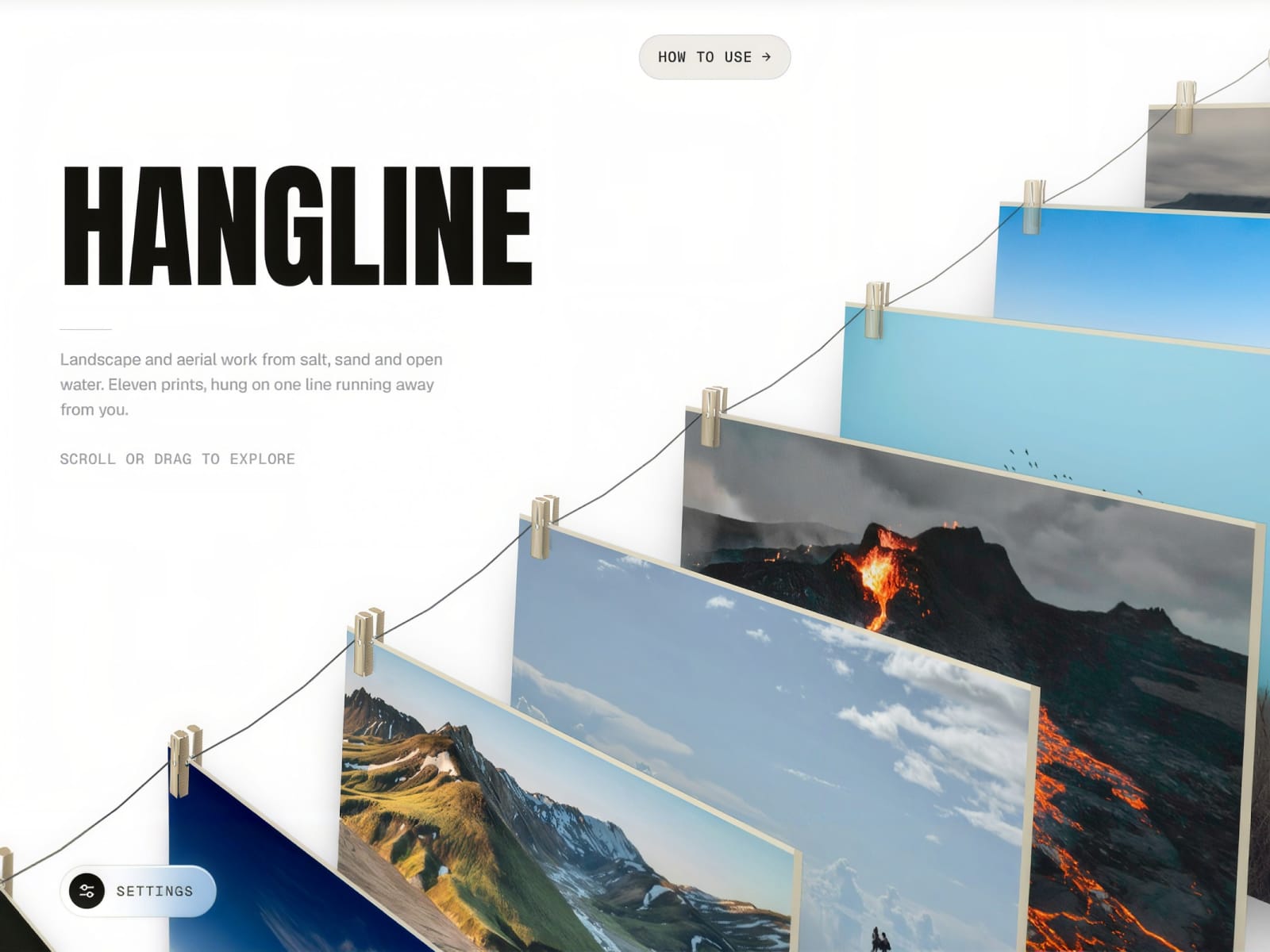
Hangline hangs your images as physical prints on one line that recedes into a single 3D camera. Scroll, drag, swipe or use the arrow keys to walk along it. The camera floats and follows the cursor, a hovered print lifts toward you, and a click flies it flat into the frame beside its title, place, year, camera, settings and caption, with Close and View buttons. The prints hang from a sagging wire on wooden pegs and swing when the line starts or stops, with a light breeze at rest.
Features:
A real washing line: wire, wooden pegs, swing on start and stop, idle breeze — visitors can switch it off and on
Live Settings panel for visitors: Camera, Canvas, Cascade, Cursor parallax and Line sliders
One 3D camera, paper edges, depth veil and lift shadow — no 3D files or libraries
Scroll, drag, swipe and ← → to walk the line; Esc closes an open print
CMS: connect a Collection List to Prints (CMS); ships with a wired Prints collection and detail page
Or add prints in the panel: image, texts and link each
Demo prints so it works the moment you drop it in
Built-in fonts, or pick your own three
One instance covers desktop, tablet and phone
Still frame on the canvas and in exports; reduced motion and keyboard support