About Prompt Library
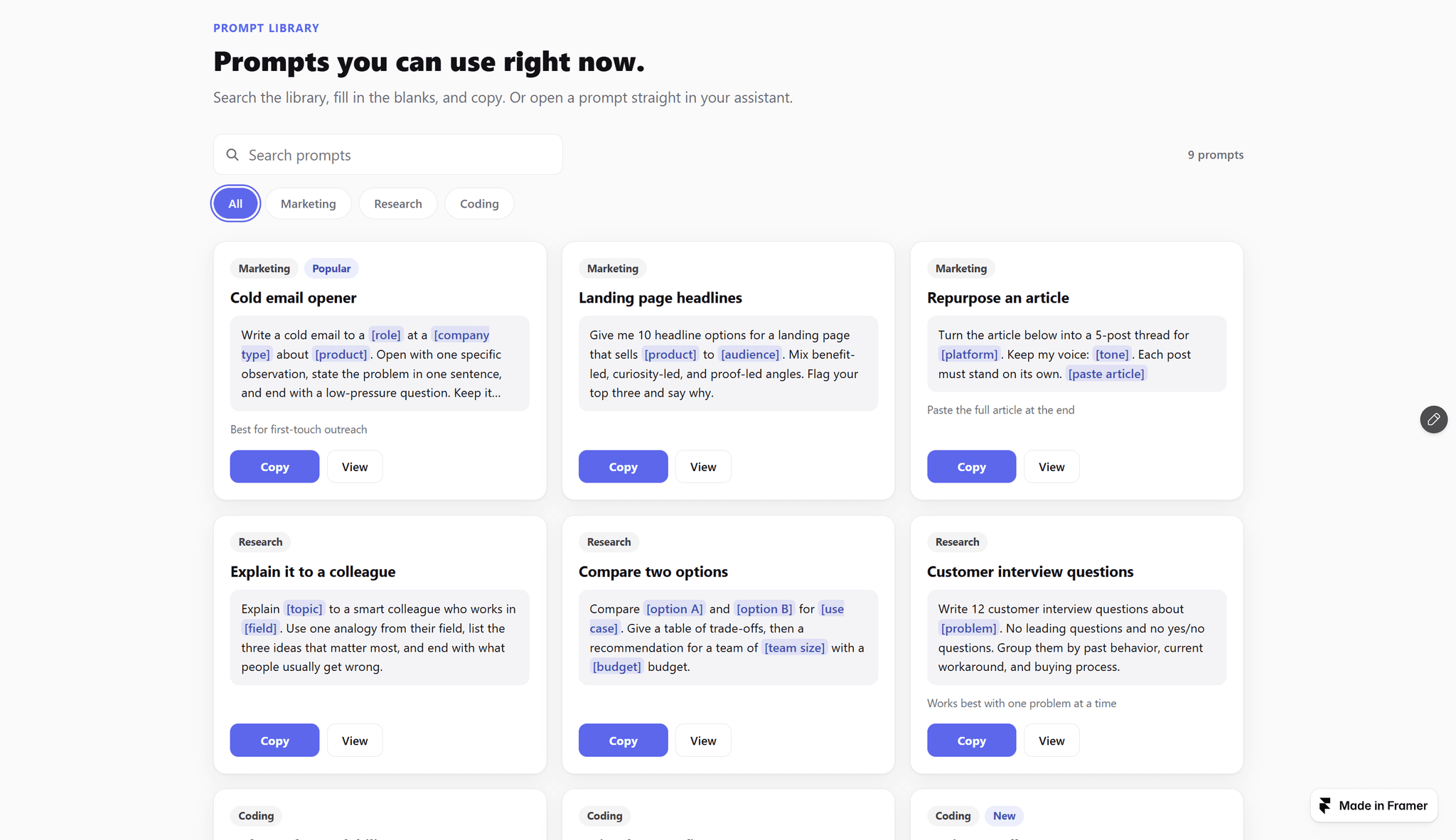
Not a prompt box. A library your visitors can search, fill in, copy, and open — one section, no CMS, no backend.
WHAT IT IS
A grid of prompt cards with search and category chips. Every card copies in one click. Open a card and the [variables] become blanks: visitors type their own role, product, or topic, watch the prompt fill in live, then copy it or open it in ChatGPT, Claude, or your own app.
WHAT YOU GET
— Search across titles, prompts, categories, and notes, plus category chips built from your data
— [variable] blanks: one input per variable, a live preview, and copy with the blanks filled
— "Open in" links from a URL template: put {prompt} where the prompt goes. ChatGPT and Claude are defaults; add your own product
— Add prompts as a list in the panel, or paste them all as text (Title | Category, the prompt, then ---)
— Optional image per card for image-generation prompts, plus a note line and a badge
— Two or three columns, a Show more page size, monospace option, light and dark themes, one accent color
— The detail panel opens under the card's row. No modal, no overlay, and the row stays put
FOR AI PRODUCTS
Point "Open in" at your own app and every prompt becomes a way in: https://app.example.com/new?prompt={prompt}. Visitors pick a prompt on your landing page and land in your product with it filled in.
WHAT IT DOES NOT DO
It does not call any AI, collect emails, or store what visitors type. Inputs live on the page and are gone when the panel closes. Nothing is sent unless a visitor clicks Open in.
BUILT FOR
AI products and docs, AI educators and newsletters, consultants and agencies.
Zero external libraries, zero layout shift: buttons keep their width when the label flips, and every prompt stays on the page as real text.
Everything is configured from the properties panel. No CMS, no code.
Selling your prompts or templates? Storefront Grid turns the same grid into a shop page with prices, details and Buy links.