About RevuKit - Instagram Feed
Bring your Instagram into Framer and make it feel like part of your site.
Your posts show the people, work, and moments behind your brand. RevuKit turns any public Instagram profile into an automatically refreshed feed you can design around your page. Connect a handle, preview your content, and add the finished feed directly to your Framer canvas.
Design it your way
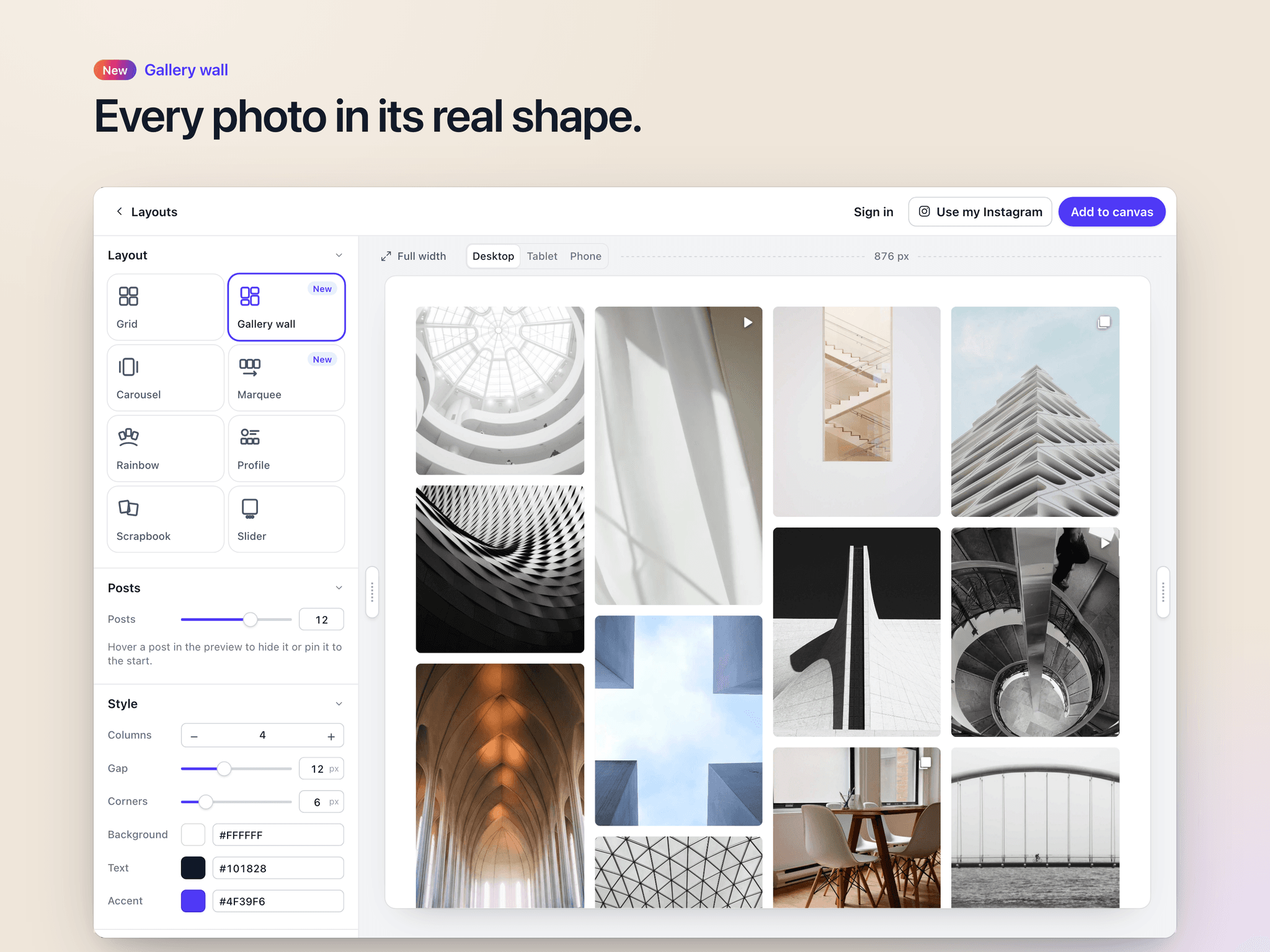
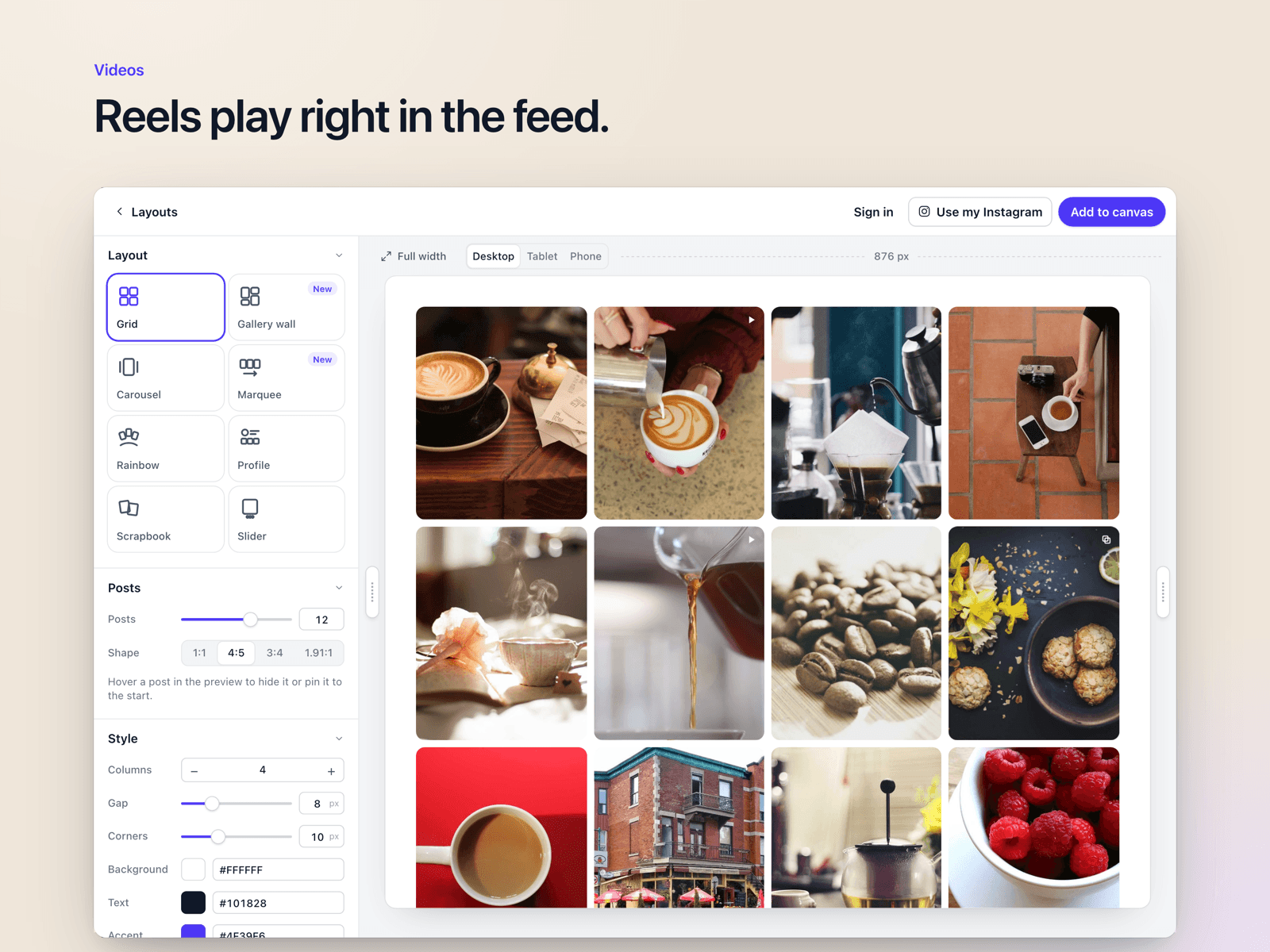
Choose from eight layouts: Grid, Gallery Wall, Carousel, Marquee, Rainbow, Profile, Scrapbook, and Slider. Switch between them in the plugin or Framer’s properties panel.
The rebuilt visual builder lets you:
- Experiment with sample posts before choosing a plan
- Preview posts from your own Instagram profile
- Check your design at desktop, tablet, and phone sizes
- Adjust columns, spacing, corners, post shapes, and click behaviour
- Add hover effects that reveal likes, captions, or an Instagram icon
Give every post a closer look
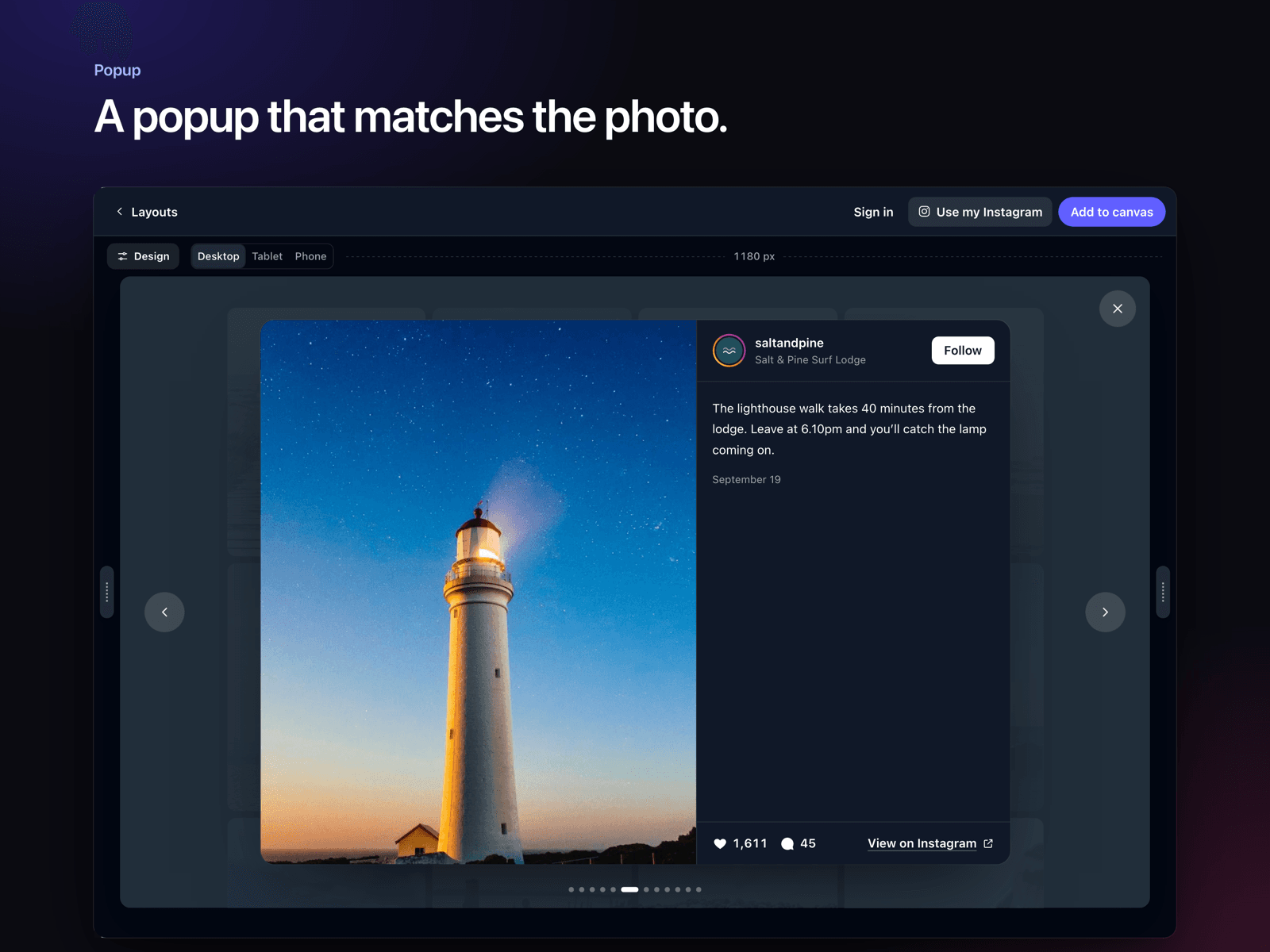
Reels and videos play short, muted previews as they come into view. Visitors can open posts in a smooth popup with captions, navigation, and video playback with sound. The popup can use a light, dark, or automatic theme, with a backdrop tinted to complement each post.
Curate your feed
Hide posts that don’t fit your page and pin favourites to the front. Choose whether clicking a post opens the popup, takes visitors to Instagram, or does nothing. If your design changes later, select a feed already on your canvas and update it through the plugin.
New posts refresh automatically, so your site stays current without republishing.
Try it live
Explore the interactive demo to try the layouts and visual builder with sample posts in your browser.
Plans
Free and Paid plans available - explore all plans here
Helpful links
Privacy Policy: https://www.revukit.com/privacy
Terms and Conditions: https://www.revukit.com/terms
Full data, provider, and runtime dependency disclosure: https://www.revukit.com/framer/instagram-feed-disclosure