
About Squarespace Import
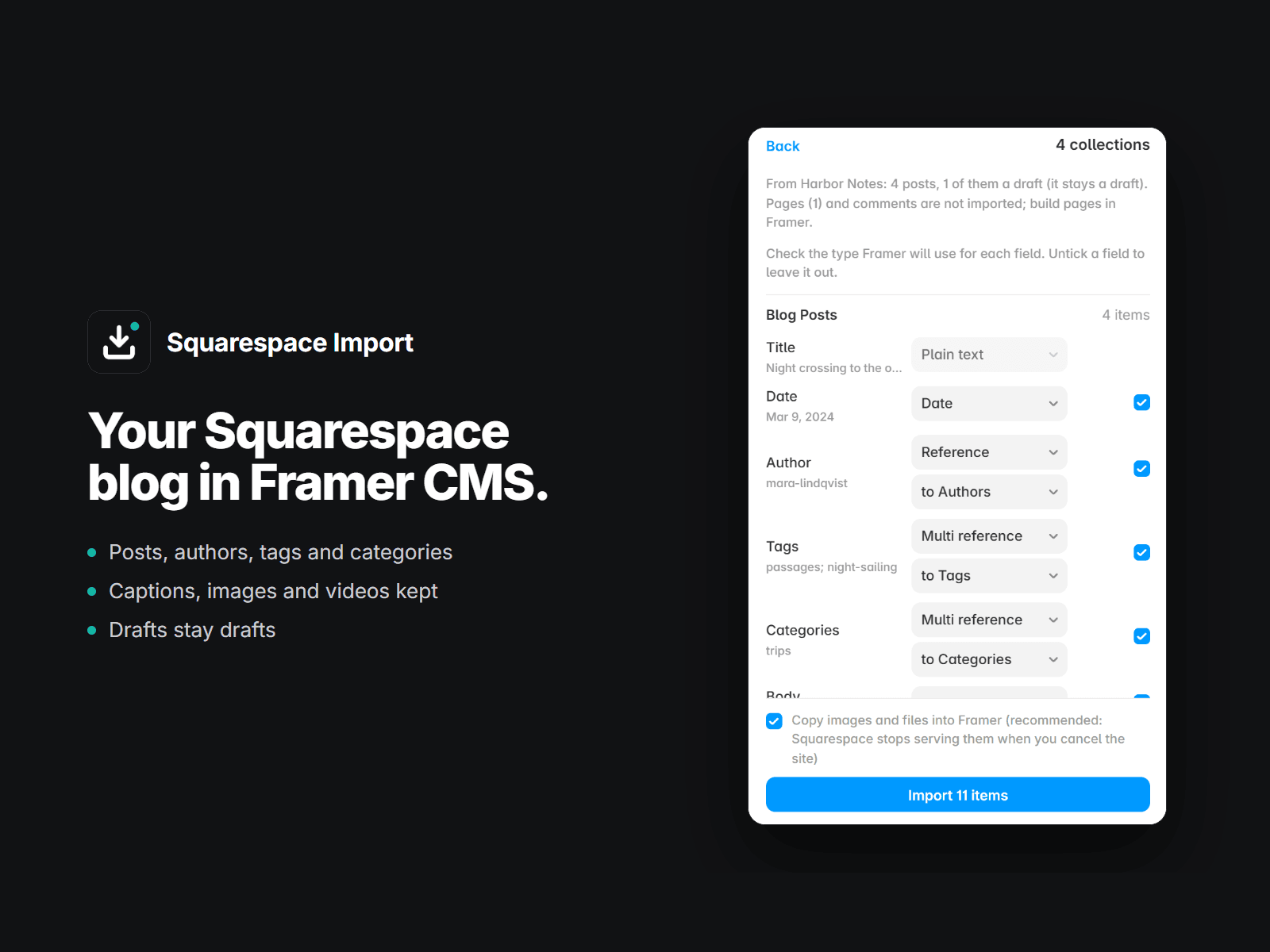
Migrating a blog from Squarespace to Framer? Export it from Squarespace (Settings, Advanced, Import & Export, WordPress), drop the .xml file into this plugin, and every post lands in Framer CMS with its author, tags and categories linked.
What comes over
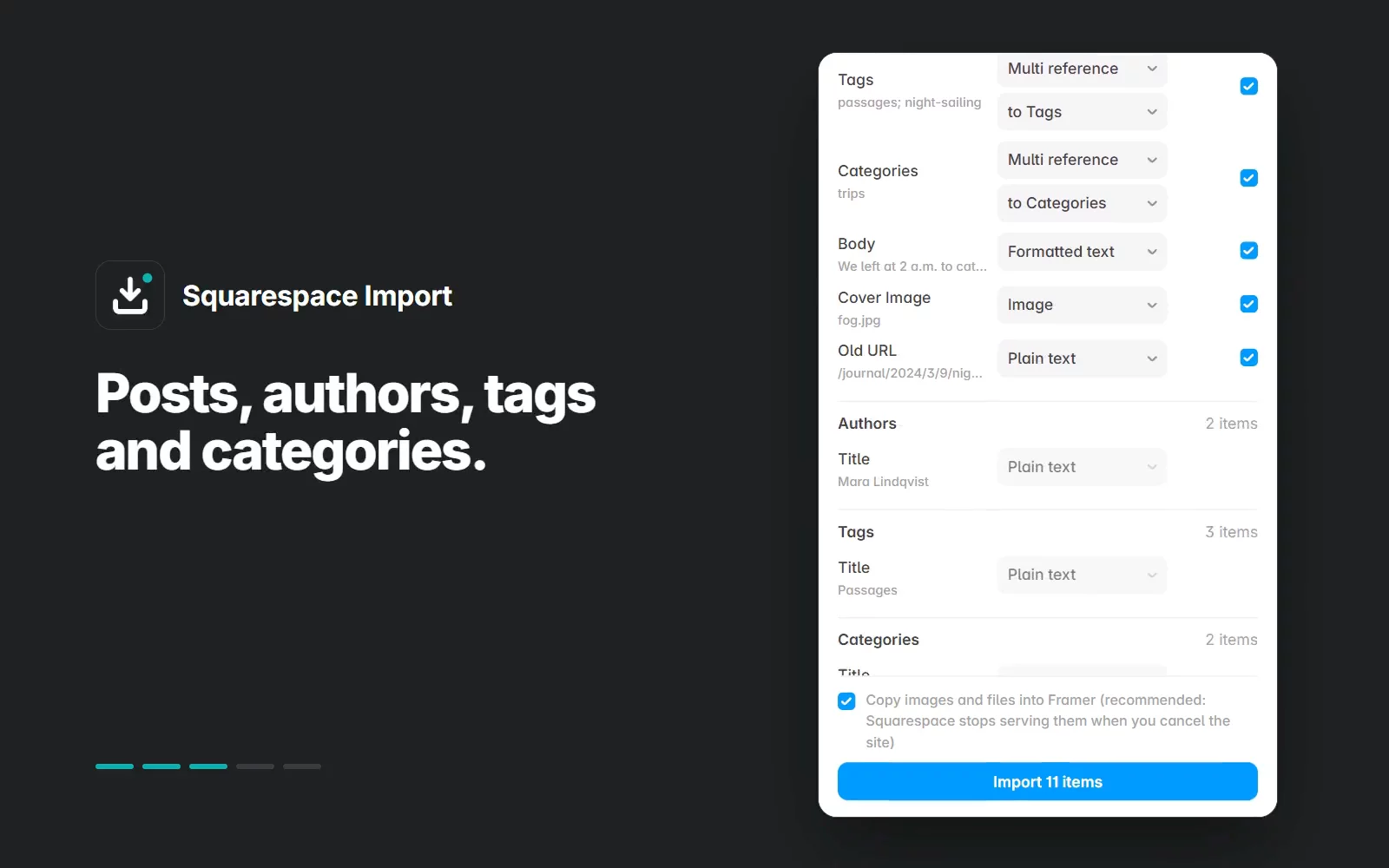
Every blog post with title, date, body, excerpt and a cover image taken from the post
Authors, tags and categories as their own collections, linked to the posts
Drafts stay drafts
Images inside posts, copied into Framer so nothing breaks when you cancel Squarespace
Squarespace's image captions and lazy-loaded images turned into clean rich text; YouTube and Vimeo videos come across, GitHub gists become links
Keep your old links
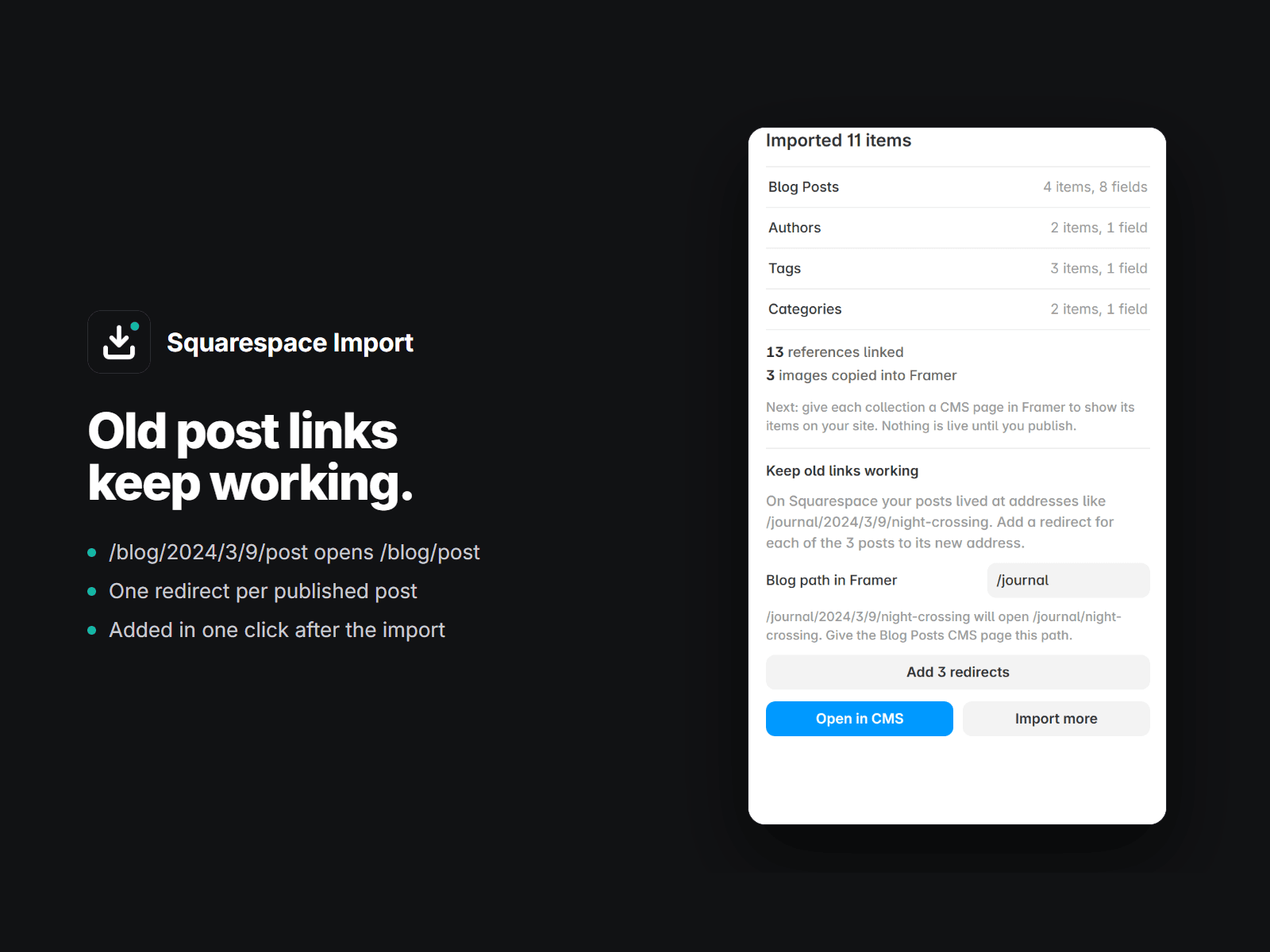
Squarespace post addresses carry the date (/blog/2024/3/9/my-post). After the import the plugin can add a redirect for every post to its new Framer address, so shared links and search rankings keep working. Redirects need a Framer plan that includes them.
How it works
Export from Squarespace as WordPress (.xml).
Drop the file into the plugin and check the fields.
Import, then add the redirects in one click.
Nothing is written until you press Import. Run it again later and it updates the same collections instead of copying them. No export at hand yet? "See it on a sample" shows the review on a small made-up blog.
Free and paid
Free: the first 25 posts, everything included, so you can check the result on your own blog. A one-time license removes the limit: $49 for one project, or $99 for unlimited projects (agencies). The same unlimited key also works in our Webflow Import.
Questions: plainwaretemplates@gmail.com, replies within a day.