
About Vintage OS
Vintage OS: Retro Desktop Portfolio Template for Framer
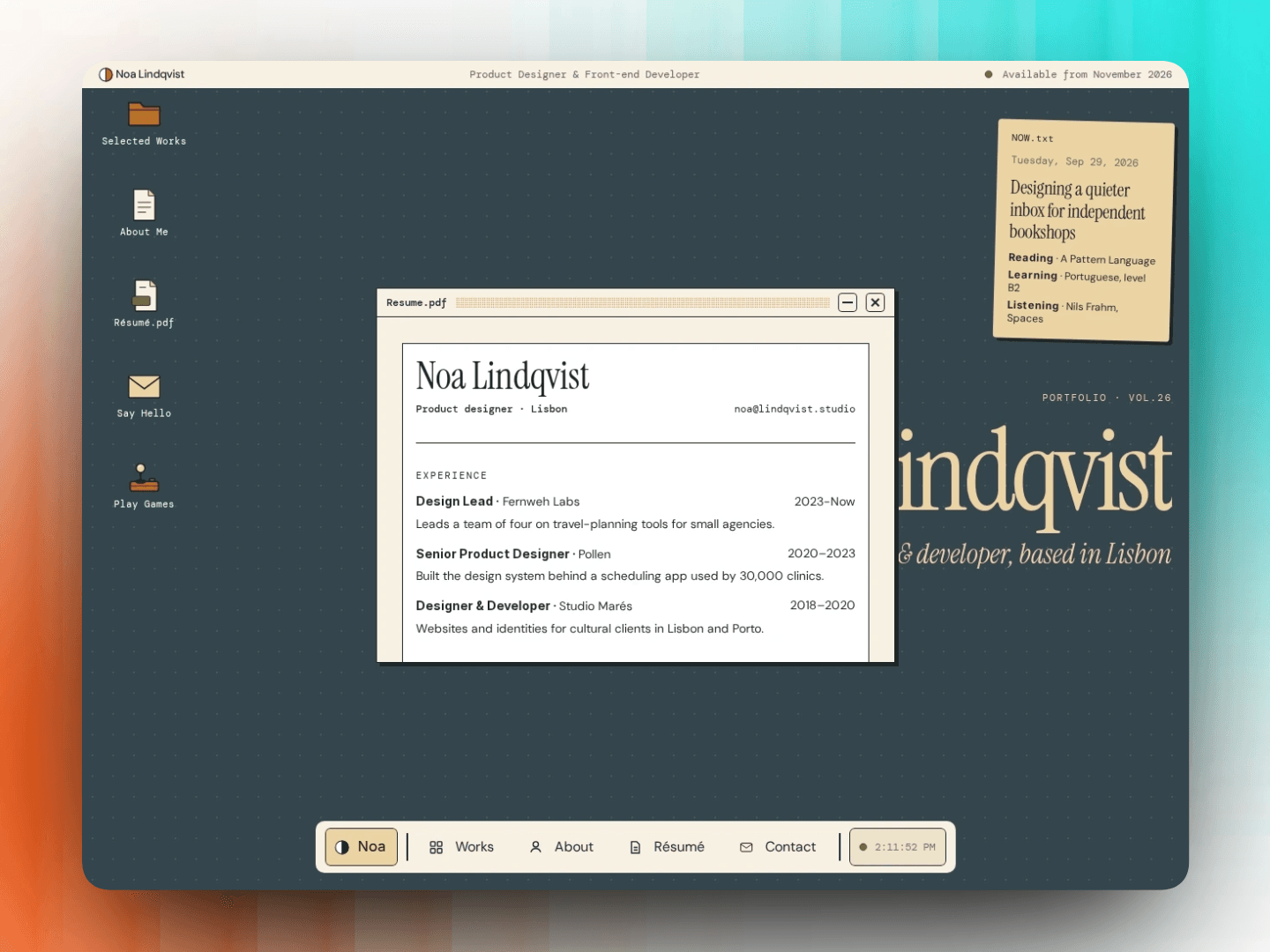
Vintage OS is an interactive, retro desktop-style portfolio template for Framer. Visitors explore your work like an old computer: open windows, drag them around and play a game.
Desktop experience
Draggable windows that come to the front on click
Desktop shortcuts and a working taskbar
Active window states and a live clock
"Show desktop" button to close everything
Retro scrollbars and hover effects
Portfolio sections
About Me, Resume and Contact form
Selected Works with CMS category filters
Live project count per category
CMS detail page for every project
Four built-in retro games
Tic-Tac-Toe: play against the computer.
Minesweeper: three difficulty levels, flag mode and a best-time record.
Pong: classic paddle game with keyboard and touch controls.
Typing Test: time and word modes, WPM, accuracy and a results chart.
8-bit sound effects, which visitors can turn off.
Best scores saved in each visitor's browser.
Each game opens in its own window from a games launcher.
All games are responsive and work on touch screens.
Custom 404 page
A retro error window with a tilted sticky note
Shows the exact missing URL automatically
Buttons lead back to your work or the desktop
Fully responsive
Desktop, tablet and phone breakpoints
Touch-friendly on mobile
Fluid text sizes in rem
Design system
11 text styles in a clean type scale
Colour palette based on a 1933 Japanese colour dictionary
Typefaces: Instrument Serif, DM Sans and DM Mono
Colour and text styles ready to reuse
Proper HTML tags for accessibility and SEO
Easy to customise
Edit content and projects in the Framer CMS
Change colours and text styles in one place
Rename windows, shortcuts and taskbar items freely
Add or remove windows without touching the layout
Perfect for
Product and UI/UX designers
Front-end and creative developers
Illustrators, 3D artists and motion designers
Students and freelancers who want to stand out