Rashid Iqbal
Rashid Iqbal

Rashid Iqbal

Framer websites for AI & SaaS. Figma design, development, copywriting, graphics, motion, CRO & on-site SEO. Founder of been.design.

ExpertPakistanFrom $1K
Rashid Iqbal
Rashid IqbalExpert2w

👀 𝗟𝗼𝗼𝗸, 𝗹𝗼𝗼𝗸, 𝗹𝗼𝗼𝗸... 𝗪𝗲𝗯 𝘁𝗼 Framer 𝘄𝗶𝘁𝗵 𝗯𝗿𝗲𝗮𝗸𝗽𝗼𝗶𝗻𝘁𝘀. 🤯 Isn’t it amazing?

Rashid Iqbal
Rashid IqbalExpert2w

A or B | The target is the copy, not the design.

Rashid Iqbal
Rashid IqbalExpert3w

Yo 🤘, I’ve gained a lot of weight! 2×… 😂💪

Pretty much the same conversion lift my clients get after I design their websites. 🚀📈

Rashid Iqbal
Rashid IqbalExpert3w

I am open to collaborate with design agencies. Your recommendations would be greatly appreciated. ❤ ❤ ❤

Rashid Iqbal
Rashid IqbalExpert3w

Designed it in 24 hours, without Ai

Rashid Iqbal
Rashid IqbalExpert3w

I built this Framer Code Component for one simple reason:

Making integration sections manually is painful.

Then I realized… integrations are only the beginning.

You could use this to create:

• SaaS integration ecosystems • AI agent architectures • API connection maps • Tech stack visuals • Product ecosystem sections • Automation workflows • Data flow diagrams • Multi-tool workflows • Partner ecosystems • “How our platform connects” sections • Infrastructure visuals • Before → system → output flows • Complex SaaS features that are normally hard to explain

The interesting part?

You’re not designing every connection manually.

Drop your Framer components in.

Choose the main component.

Arrange everything exactly where you want.

Move any item freely in any direction.

Build multiple layers and branches.

Then choose how everything connects: Fan, Merge, or Bus.

You can also control gradients, glow, pulses, line styles, connection shapes and more.

And once the structure is right, the complete arrangement can be saved as JSON.

What started as an integration component is slowly becoming something I wish Framer had built in.

Especially for SaaS websites where a screenshot just isn’t enough to explain how the product actually works.

I’m curious:

What else would you build with this?

Rashid Iqbal
Rashid IqbalExpert3w

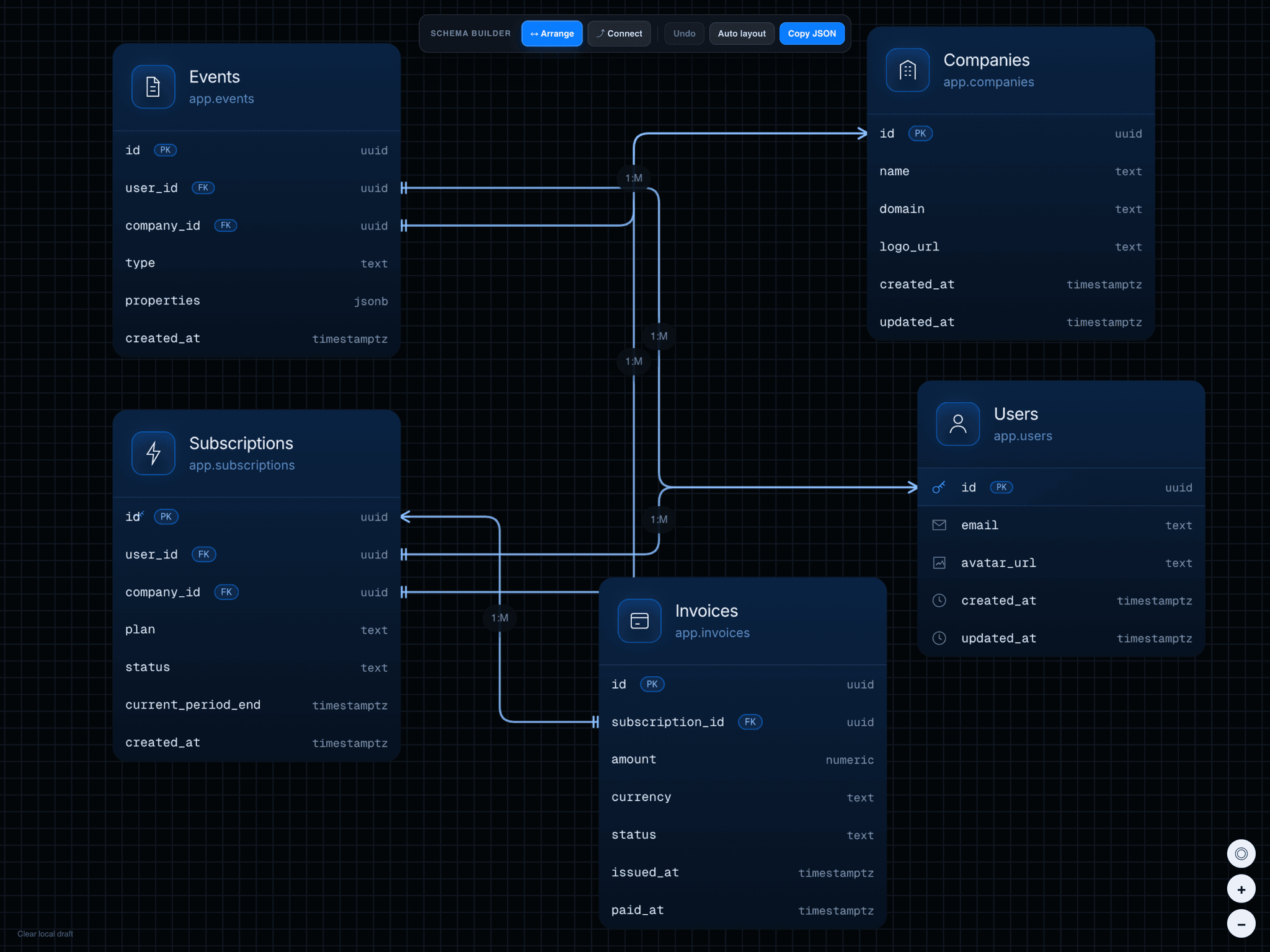
ER Diagram Pro is a powerful visual database schema and relationship builder made for Framer. Arrange your tables, connect individual fields directly on the canvas, and create professional ER diagrams without manually configuring every connection.

With the built-in Schema Builder, switch between Arrange and Connect modes, drag tables into position, connect fields, customize relationships, and use Copy JSON to save your complete schema.

Rashid Iqbal
Rashid IqbalExpert3w

I just sold a big problem! you can now create graphics using framer canvas, arrange nodes, set base and do anything you want, free form

Rashid Iqbal
Rashid IqbalExpert1mo

This discussion is over now! Isn't it